


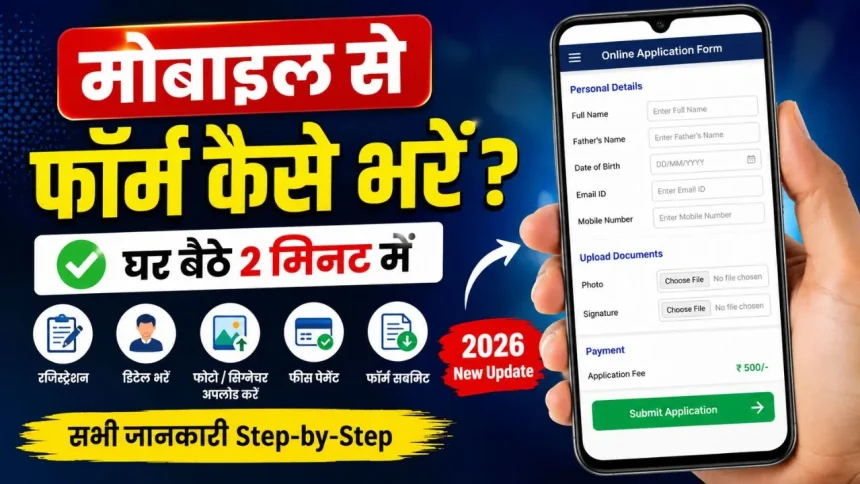
Aaj ke time me lagbhag har government aur private form online bhara jata hai. Bahut log Google par search karte hain mobile se form kaise bhare kyunki har kisi ke paas computer ya laptop nahi hota. Good news ye hai ki ab aap apne smartphone se hi kisi bhi job, scholarship, admission ya government yojana ka form easily fill kar sakte hain.
Is post me hum step-by-step samjhayenge ki mobile se online form kaise bhara jata hai, kaun-kaun si cheezein chahiye aur kaunsi mistakes avoid karni chahiye.
Mobile Se Form Bharne Ke Liye Kya Chahiye?

Agar aap phone se online form fill karna chahte hain to aapke paas ye cheezein honi chahiye:
- Android Smartphone
- Fast Internet Connection
- Aadhaar Card
- Passport Size Photo
- Signature
- Email ID
- Mobile Number
- Required Documents ki PDF/JPG Files
Aajkal almost sabhi official websites mobile friendly ho chuki hain isliye phone se form bharna kaafi easy ho gaya hai.
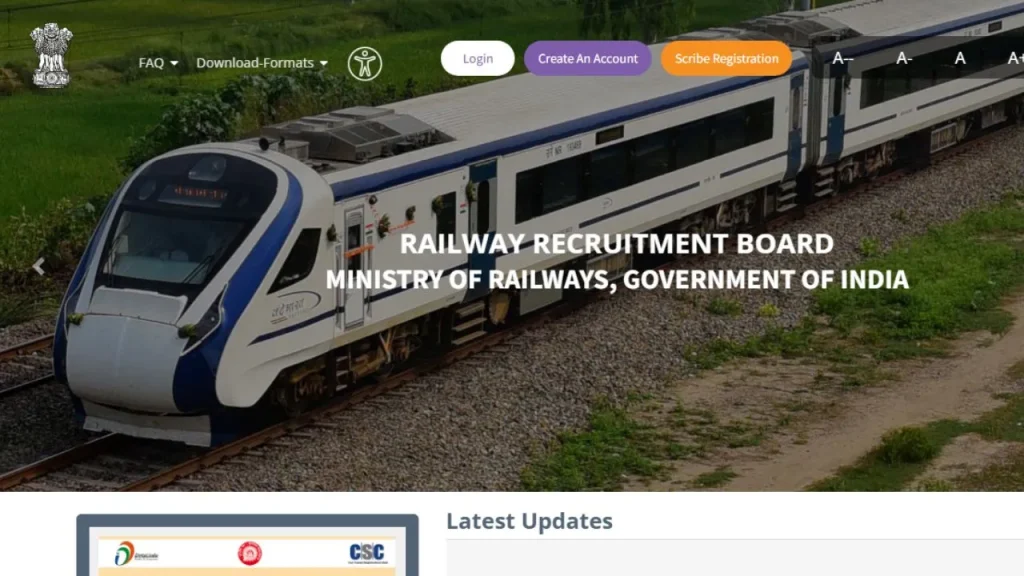
Latest Update: रेलवे भर्ती बोर्ड परीक्षा (आरआरबी) के लिए रजिस्ट्रेशन की जानकारी
Mobile Se Form Kaise Bhare? Step-by-Step Process
1. Official Website Open Kare
Sabse pehle jis form ko bharna hai uski official website open kare.
Example:
- Railway Form
- SSC Form
- Scholarship Form
- Police Bharti
- Anganwadi Recruitment
- PM Internship Scheme
Hamesha official website hi use kare taaki fraud se bach sake.
2. Chrome Browser Use Kare
Apne mobile me Google Chrome browser open kare.
Ab upar diye gaye 3 dots par click kare aur:
- Desktop Site ON kar de
Isse website computer mode me open hogi aur form bharne me problem kam hogi.
3. Registration Kare
Website par jaakar:
- New Registration
- Apply Online
- Sign Up
wale option par click kare.
Ab yaha details fill kare:
- Name
- Mobile Number
- Email ID
- Password
Uske baad OTP verify kare.
4. Login Kare
Registration complete hone ke baad:
- User ID
- Password
ki help se login kare.
5. Personal Details Fill Kare
Ab application form open hoga jisme aapko apni details bharni hongi:
- Full Name
- Father Name
- Mother Name
- Date of Birth
- Address
- Qualification
- Category
Dhyan rahe ki sabhi details Aadhaar aur marksheet ke according hi bhare.
6. Photo Aur Signature Upload Kare
Ab aapko:
- Passport Size Photo
- Signature
upload karna hoga.
Important Tip:
Photo aur signature ka size website ke according hona chahiye.
Agar size bada ho to aap:
- Photo Resizer App
- Compress Image Tool
ka use kar sakte hain.
Mobile Se PDF Kaise Banaye?
Agar documents PDF me nahi hain to mobile se hi PDF bana sakte hain.
Best Apps:
- Adobe Scan
- CamScanner
- Microsoft Lens
Document clear aur readable hona chahiye.
Application Fee Kaise Pay Kare?
Form fill hone ke baad payment option aata hai.
Aap payment kar sakte hain:
- UPI
- PhonePe
- Google Pay
- Paytm
- Debit Card
- ATM Card
- Net Banking
Payment successful hone ke baad receipt download zarur kare.
Final Submit Karne Se Pehle Kya Check Kare?
Bahut log jaldi me mistakes kar dete hain. Submit karne se pehle ye check kare:
- Naam sahi hai ya nahi
- Photo clear hai ya nahi
- Documents properly upload hue ya nahi
- Mobile number active hai ya nahi
Ek baar final submit hone ke baad kai forms edit nahi hote.
Mobile Se Form Bharne Ke Fayde
Aajkal log cyber cafe jane ki jagah khud mobile se form bharna pasand karte hain kyunki:
- Paise bach jate hain
- Time save hota hai
- Ghar baithe kaam ho jata hai
- Kahin bhi form fill kar sakte hain
- Turant correction kar sakte hain
Mobile Se Form Bharte Time Hone Wali Mistakes
Fake Website Open Karna
Hamesha official website hi use kare.
Wrong Documents Upload Karna
Blur photo ya galat PDF upload na kare.
Payment Double Kar Dena
Payment fail hone par pehle status check kare.
Jaldi Me Form Submit Karna
Sab details dobara check kare.
Kaun-Kaun Se Forms Mobile Se Bhare Ja Sakte Hain?
Aaj almost sabhi online forms mobile se bhare ja sakte hain:
- SSC
- Railway
- Police Bharti
- Army Rally
- Scholarship Form
- College Admission
- Anganwadi Form
- PM Internship Yojana
Mobile Se Form Bharne Ke Liye Best Apps
Google Chrome
Best browser for online forms.
Adobe Scan
Documents scan aur PDF banane ke liye.
DigiLocker
Digilocker Documents download karne ke liye.
Photo Compressor Apps
Photo size reduce karne ke liye.
Kya Mobile Se Form Bharna Safe Hai?
Haan, agar aap:
- Official website use kare
- OTP kisi ko share na kare
- Public WiFi avoid kare
to mobile se form bharna bilkul safe hai.
Conclusion
Agar aapke paas computer nahi hai tab bhi tension lene ki zarurat nahi hai. Aaj ke time me aap apne smartphone se hi kisi bhi government ya private form ko easily fill kar sakte hain. Bas documents ready rakhe, official website use kare aur sabhi details carefully fill kare.
Agar aap pehli baar online form bhar rahe hain to upar diye gaye steps follow karke bina kisi help ke khud form submit kar sakte hain.
FAQ – Mobile Se Form Kaise Bhare
Q1. Kya mobile se government job ka form bhar sakte hain?
Haan, almost sabhi government forms mobile se bhare ja sakte hain.
Q2. Mobile se PDF kaise banaye?
Adobe Scan ya CamScanner app ki help se easily PDF bana sakte hain.
Q3. Kya mobile se payment karna safe hai?
Haan, official website par UPI ya debit card se payment safe hota hai.
Q4. Kya bina computer ke online form bhar sakte hain?
Haan, sirf Android mobile se poora form fill kiya ja sakta hai.
Q5. Mobile se form bharne ke liye best browser kaunsa hai?
Google Chrome sabse best browser mana jata hai.